
Just as you can export all of the documents in an app via the Documents page, you can also accomplish the same function programmatically. The export function sends the document list data to a CSV, so we do not run a GraphQL mutation for this task: GraphQL returns a JSON response. Instead, we need to use a HTTP endpoint.
For the All Data endpoint:
GET: /app/api/v0/apps/{{appId}}/documents.csv
Content-Type: application/json
Authorization: Bearer
Custom columns and sorting rules can be added as URI parameters to your endpoint. An example of the Current View is shown below:
GET: /app/api/v0/apps/{{appId}}/documents.csv?columns={field}&sort={field}
Content-Type: application/json
Authorization: Bearer
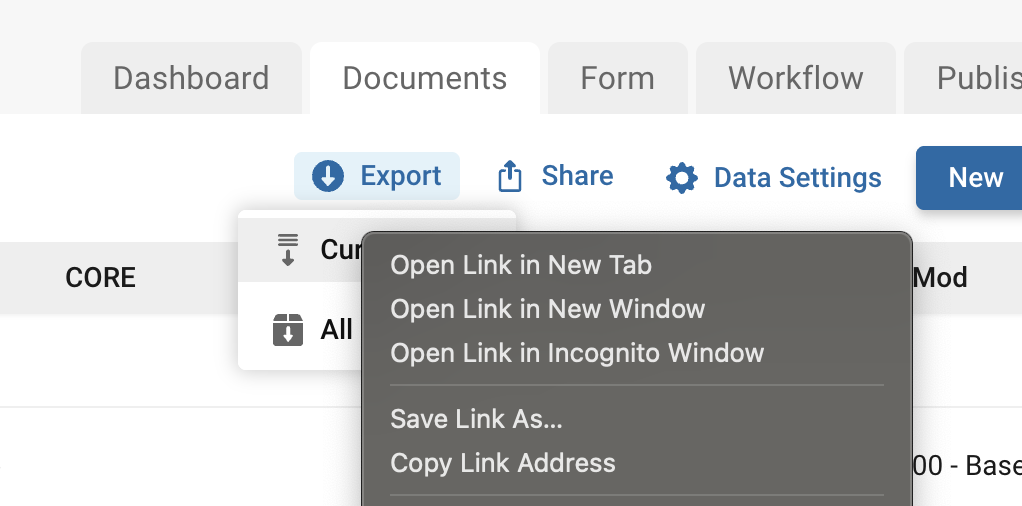
Tip: Rather than writing the endpoint manually indicating the list of desired columns and sorting methods you can also get the endpoint via the frontend. If you go to the Document List of the App and adjust your columns manually with filters and sorting methods, then copy the link address via the right click on the option. This link is what's hit when you click the Export button (via Current View), that would be the same as what you would manually write for the api endpoint.
Comments
0 comments
Article is closed for comments.